Gank (ganknow.com)
Connect Gank (ganknow.com) to receive donations in real time by pasting your Alert overlay URL into the app — Donari taps the same alert feed Gank uses to fire its overlay, then feeds donations into the same queue as your other sources for TTS + overlay. Amounts arrive in USD and are converted to THB automatically.
What it does
- Receives donation events from Gank in real time (donor name / message / amount)
- Feeds the unified donation queue — read by TTS and shown on the overlay, just like Streamlabs / YouTube / Twitch
- USD → THB conversion at the current rate, automatically
- Shows Connected / Disconnected status + auto-reconnects if the feed drops
Where to find it
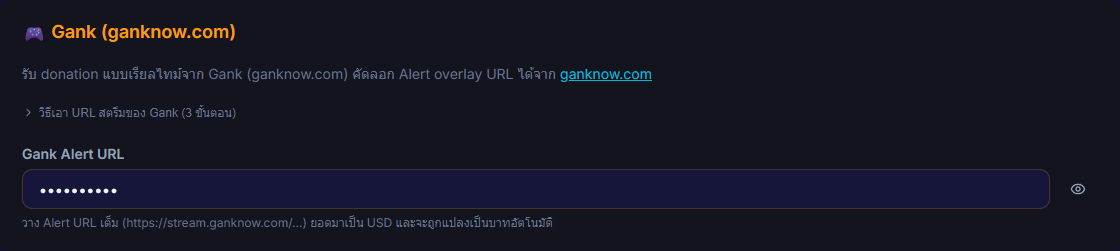
Settings → Connections → 🎮 Gank (ganknow.com)
Inputs / configurable settings
- Gank Alert URL — paste the full Alert overlay URL (starts with
https://stream.ganknow.com/) copied from ganknow.com → the Stream menu
Outputs / what happens
- Connected / Disconnected status next to Gank
- Donation events queue automatically and flow to TTS + overlay (amount shown in THB after converting from USD)
Notes
- This is an outbound connection — the app connects out to Gank's feed itself (not a webhook Gank POSTs to you), so there's no Webhook URL to generate.
- Authenticated by the token embedded in the Alert URL — treat the URL like an API key; don't show it on stream or share it.
- The Gank feed is an undocumented API — the endpoint can change without notice. If the status gets stuck on Disconnected, try copying a fresh Alert URL and pasting it again.
- The Test button in Gank fires the overlay as a preview only — no donation is saved, no leaderboard change, no TTS budget spent.
Use case
A streamer who already takes donations through Gank — just copy the Alert overlay URL into the app once, and from then on every donation flows into the same pipeline as your other sources, read by TTS with an overlay alert in your chosen theme, with USD amounts converted to THB automatically.